There's a room at work I keep walking past. Not deliberately — it's on the way to the kitchen. But I've started slowing down. Lingering. Poking my head in.
It's a lab. A makerspace, really. People in there build things. Real, physical, you-can-hold-them things. Gadgets built from microcontrollers and Raspberry Pis. Custom PCBs with components I can't name. Things printed from resin, from PLA, even from powder. Laser cutters growl away in the corner, etching and slicing with surgical precision.
I'm absolutely transfixed.
Here's the thing: I'm an IT guy. Servers, networks, containers, infrastructure — that's my world. I live in terminals and config files. Everything I build exists in memory. You can't hold a Kubernetes cluster in your hand. You can't put a firewall rule on your desk and admire it.
These people in the lab — they're building objects. Things with LEDs that blink. Sensors that sense. Motors that move. And I realised, standing there with my coffee going cold, that I want in.
Starting from Actual Zero
I'm not an electrical engineer. I'm not even an electronics hobbyist. My entire experience with electronics consists of:
- A Jaycar "Short Circuits" kit I half-completed sometime in the 1990s
- An Arduino Diecimila I bought in 2008, on which I successfully made an LED blink exactly once before putting it in a drawer forever
I have a vague understanding of what a microcontroller does (it's a tiny computer that runs one program, right?). I sort of know what a multimeter is for (measuring... electrical stuff?). And I have a rough idea what an oscilloscope does (it draws wiggly lines that mean something important).
That's it. That's the foundation I'm building on.
My son James has started playing with Arduino microcontrollers at school, which gave me the final nudge. If a sixteen-year-old can figure this out, surely I can too.
The AliExpress Haul
So I did what any reasonable person does when starting a new hobby they know nothing about: I opened AliExpress and bought everything that looked interesting.
Here's what arrived (or is currently on a slow boat from Shenzhen):
The brain trust:
- An Arduino UNO R4 WiFi — this is the genuine Italian one, with a built-in 12×8 LED matrix and WiFi. It cost more than all the other microcontrollers combined and I'm terrified of breaking it.

- Five Arduino Nano clones — because apparently you need spares. Or maybe you embed them in projects and never see them again? I'm not sure yet.
- An ESP32-S3 Nano — this has WiFi and Bluetooth and can run MicroPython. It's the size of a postage stamp and allegedly more powerful than the computers that sent Apollo 11 to the moon.
The instruments (these are the scary ones):
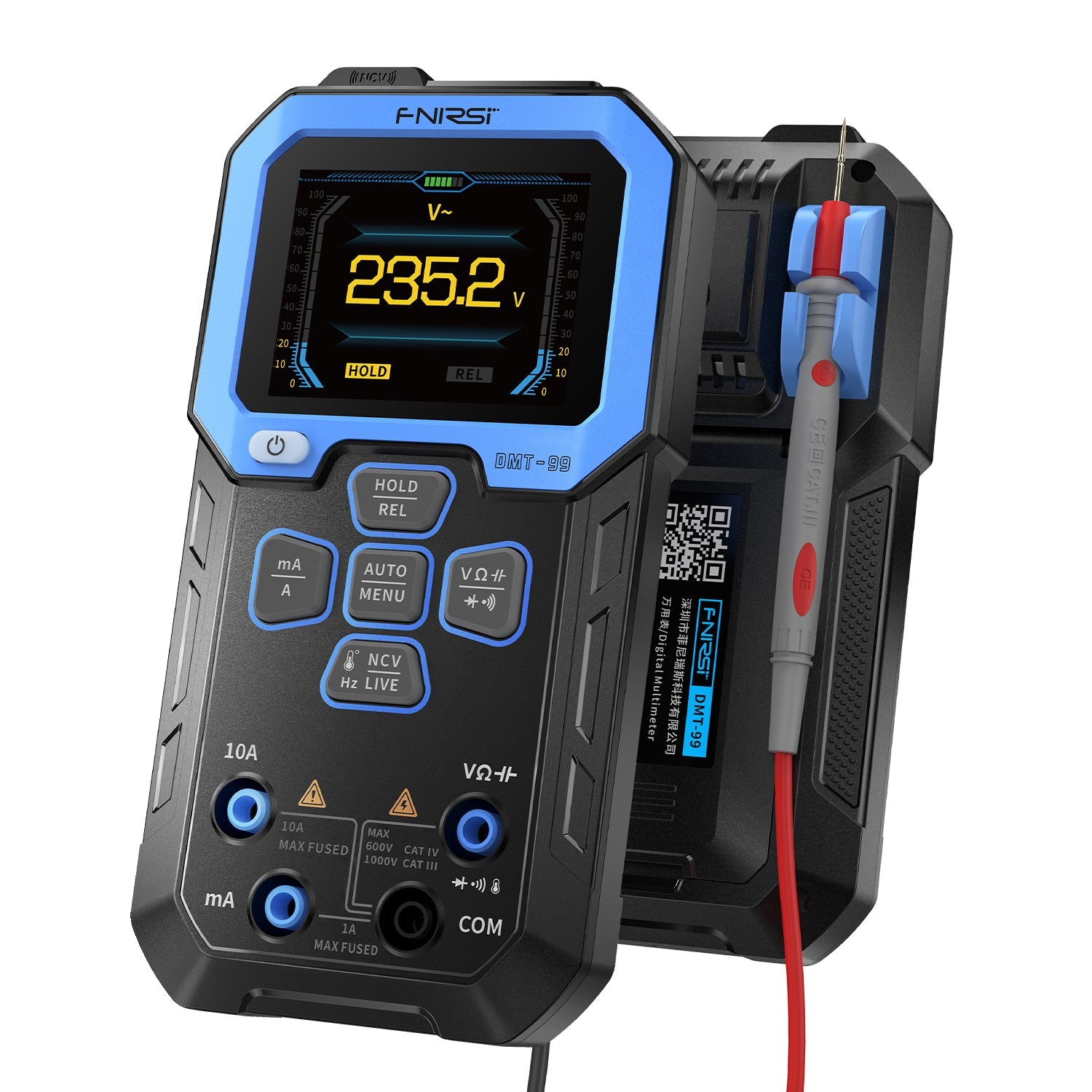
- A FNIRSI DMT-99 digital multimeter — 9999 counts, True RMS, measures voltage, current, resistance, capacitance, frequency, and temperature. It has more functions than I have understanding.
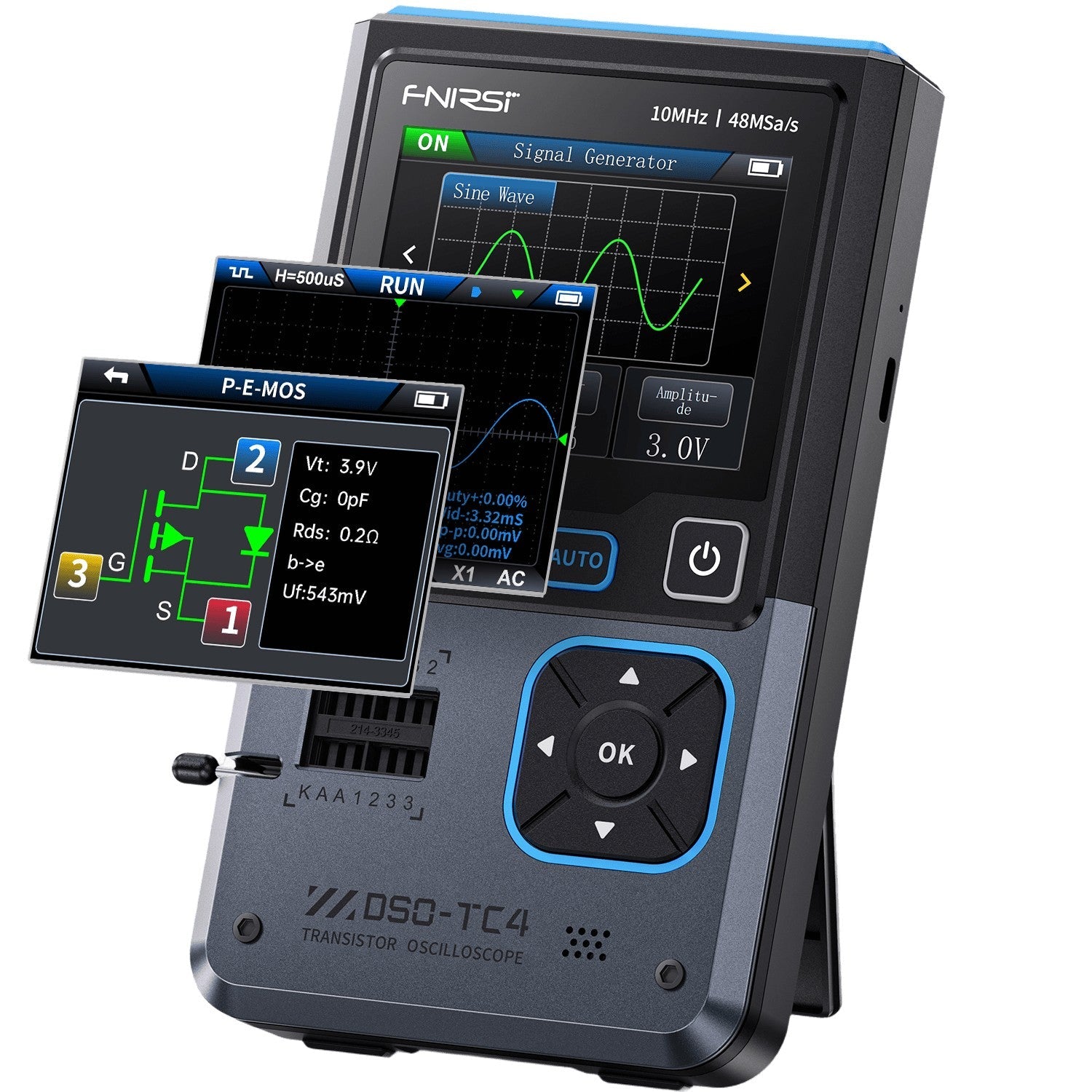
- A FNIRSI DSO-TC3/TC4 oscilloscope — this is a handheld 3-in-1 device that's an oscilloscope, a component tester, AND a signal generator. I bought it because the people in the lab have oscilloscopes and they looked cool. I have since learned that an oscilloscope draws a graph of voltage over time. That's the extent of my oscilloscope knowledge.
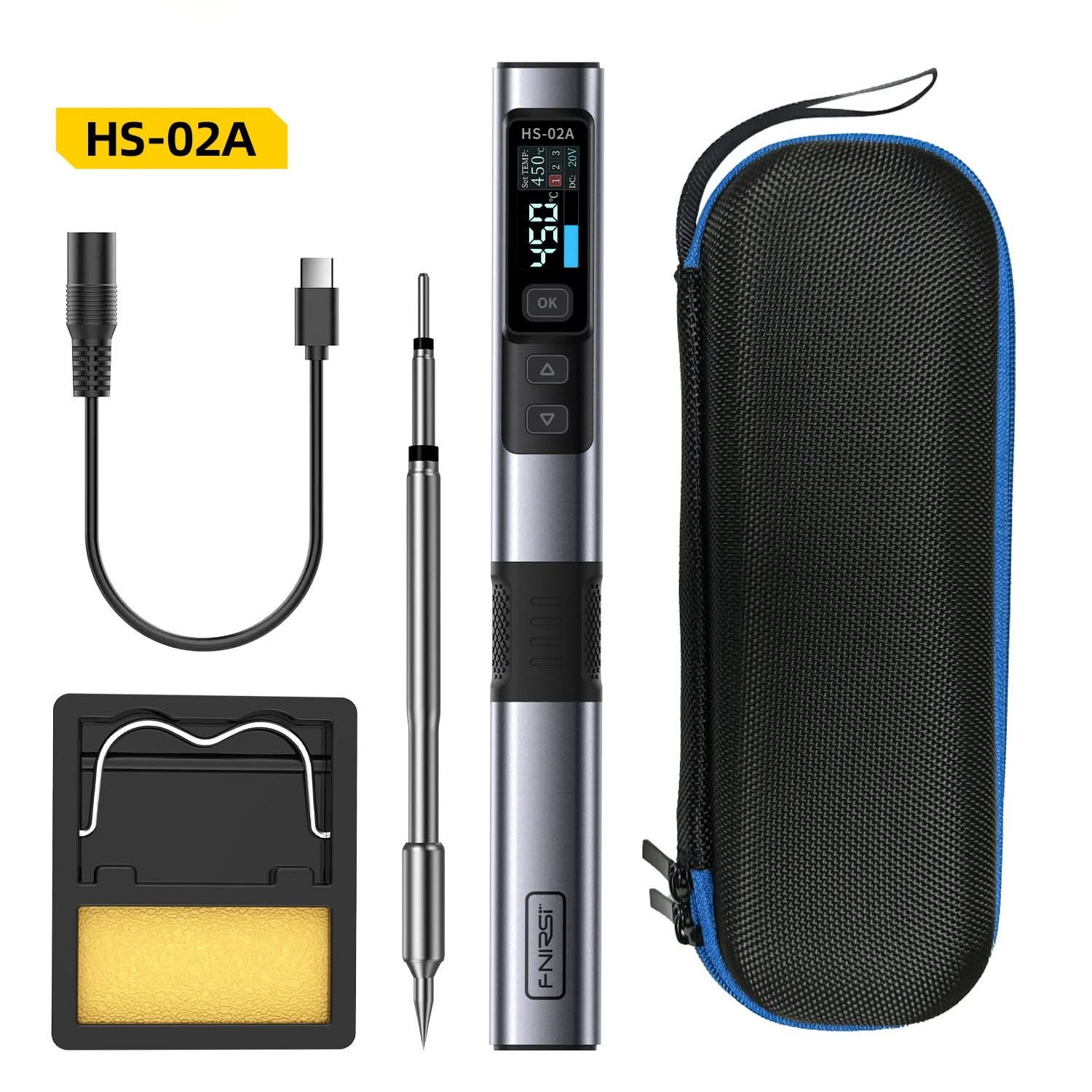
- A FNIRSI HS-02 soldering station — 100 watts, USB-C powered, heats to 350°C in seconds. I have not soldered anything since Year 9 Design & Technology. I made a coat hook. It was terrible.
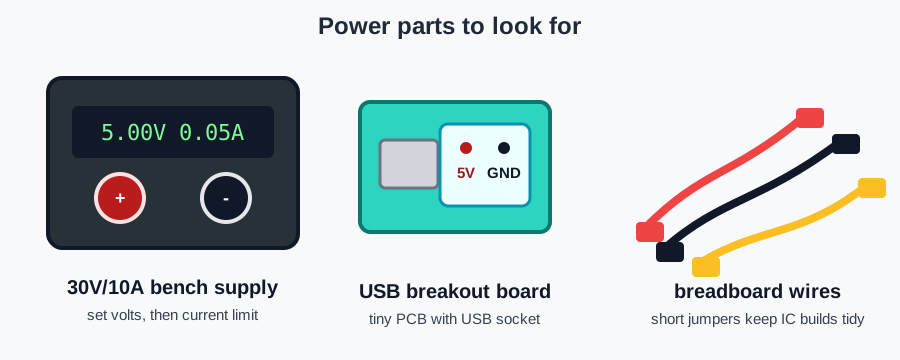
- A 30V/10A bench power supply — the thing that lets me choose a voltage, set a current limit, and make beginner mistakes with fewer expensive consequences. I have already been told: set the current limit first.
The bits and pieces:
- 300 resistors (30 different values, 10Ω to 1MΩ)
- 500 electrolytic capacitors (0.1µF to 1000µF)
- 200 LEDs in six colours, plus 50 RGB LEDs
- 100 tactile push buttons, 20 toggle switches
- 10 passive piezo buzzers
- 20 potentiometers with knobs
- 20 photoresistors (they change resistance based on light — I had to look that up)
- 3 DHT22 temperature and humidity sensors
- A large breadboard, power supply modules, jumper wires, PCB prototype boards, helping hands with magnetic bases, and alligator clips
A friend who knows a lot more about electronics than I do looked at the plan and gently pointed out the gap. I had microcontrollers and sensors, but not enough of the stuff between "LED and resistor" and "tiny computer does magic."
So I ordered the missing middle:
- Breadboard wires and a USB breakout board for cleaner power experiments
- 1N4148 signal diodes
- NPN and PNP transistors: 2N3904, 2N2222, and 2N3906
- 2N7000 MOSFETs
- uA741 op amps
- 555 timer ICs
- Relays
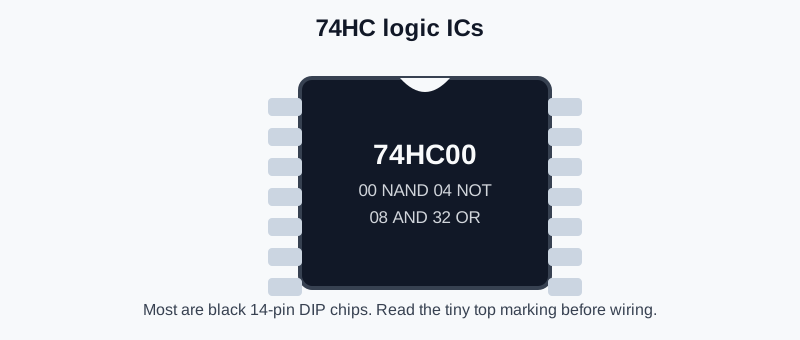
- 74HC logic chips: likely 74HC00, 74HC02, 74HC04, 74HC08, and 74HC32
- LED bar graph modules
- A 7-segment display and 74LS48 display driver
- 330Ω SIP resistor networks
- A small speaker and 3.5mm socket
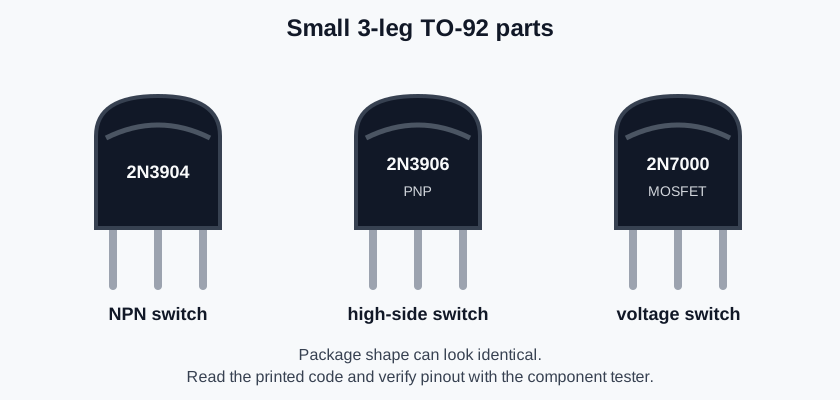
I also asked Codex to add little component guide images to the lessons. This is not decorative. This is because I can currently identify about three parts by sight, and one of them is "wire".
Total cost: originally roughly AU$400, and then the expansion pack happened. Total knowledge of how to use any of it: still approximately zero, but now with better parts.
The Curriculum: 47 Lessons, Written by AI
Here's where it gets interesting. I use an AI assistant called Hermes (named Bob, long story) that can delegate coding tasks to OpenAI's Codex CLI — an autonomous coding agent. I figured: if Codex can build software, surely it can write electronics lessons.
I was right. And also horrified by how well it worked.
I spent an evening writing a detailed specification — the hardware inventory, the pin layouts, the learning objectives, the exact format each lesson should follow. Then I fired up six parallel Codex instances and let them loose.
Two hours later, the first pass had 31 lessons. 8,500 lines. Every single one with:
- Clear learning objectives
- Theory explained in plain English (water pressure = voltage, water flow = current)
- ASCII wiring diagrams (because I can't read schematic symbols yet)
- Complete, compilable Arduino code
- "Make It Yours" variations to keep things interesting
- "Under the Hood" sections showing what the oscilloscope or multimeter should read
- "What Just Broke?" troubleshooting for common mistakes
Then came the shopping list. Diodes. Transistors. MOSFETs. Op-amps. 555 timers. Logic gates. A seven-segment display. A relay. An actual speaker. The kind of components that teach you what's happening inside the chips instead of just treating them as black boxes.
So I fired up Codex again and another 14 lessons landed — Phase 2: Active Components, Logic, Displays, and Power. The curriculum is now 47 lessons deep, spanning everything from "this is a resistor" to "use a transistor so the Arduino doesn't have to power the world directly."
The curriculum starts at absolute zero — how to use a multimeter, how a breadboard works — and builds through Ohm's Law, power supplies, diodes, transistors, MOSFETs, op-amps, 555 timers, logic gates, displays, Arduino programming, sensors, WiFi-connected IoT projects, and finally soldering permanent projects onto protoboard. The capstones now include a caravan battery voltage monitor for the Sunland Longreach and a home watering system controller that would be genuinely useful if I can pull it off.
I've put the whole repo on GitHub. All 47 lessons are there, written by AI, edited by me (lightly), waiting for me to actually do them.
Why I'm Writing This
This is a public commitment. The kind you can't take back.
I have a tendency to buy gear for new hobbies and then... not do the hobby. The gear sits in boxes. The boxes go into cupboards. The cupboards become monuments to abandoned enthusiasm.
Not this time.
I'm going to work through every single lesson, from multimeter mastery to the caravan voltage monitor. And there's a special capstone that actually matters: my home watering system has never worked properly, so I'm going to replace the broken controller with an Arduino Nano, a four-channel relay board, and a Raspberry Pi running a web interface. Full seasonal scheduling from my phone while standing in the garden. As I go, I'll post updates here — photos of breadboard circuits, oscilloscope screenshots, videos of LEDs doing things LEDs have never done before. Probably also photos of things I've accidentally melted.
If you're an electronics person reading this, please be kind. I'm going to ask stupid questions. I'm going to put LEDs in backwards. I'm going to forget the current-limiting resistor at least three times and wonder why things are getting hot.
But I'm also going to learn. And if you're an IT person like me — comfortable in the abstract, slightly terrified of the physical — maybe this will convince you to try too. The barrier to entry has never been lower. A $400 AliExpress order and an afternoon with an AI coding agent can produce a complete curriculum. The only thing missing is the willingness to be bad at something new.
Wish me luck. First lesson: how to use a multimeter without accidentally measuring mains voltage on the wrong setting. I've been told this is important.
Related:
- 📋 Electronics Curriculum — the full roadmap, 8 phases from multimeter to caravan battery monitor and watering system
- 📚 All 47 Lessons — every lesson with theory, wiring diagrams, component guide images, and complete Arduino code
- 🐙 Lessons on GitHub — the raw markdown, open source